
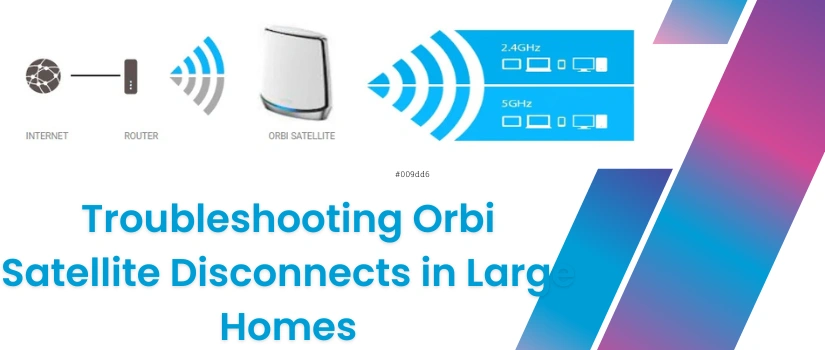
Troubleshooting Orbi Satellite Disconnects in Large Homes
Are you facing a WiFi coverage challenge even with a powerful system like Netgear orbi? Does your orbi satellite keep disconnecting? Is it affecting your streaming gaming video call and overall internet reliability? If the answer to all above questions is yes then you need to resolve the issue with your network by applying simple troubleshooting. These dropouts usually happen because of distance issues, signal interference, outdated firmware or incorrect placement. You can easily resolve the dropout issue you are facing with a few simple adjustments. Whether you are setting up your orbit device for the first time or trying to stabilize your existing network, further instructions will help you to get the best out of your network and resolve the issue you are experiencing.
Check Satellite Placement
One of the most common reasons a satellite disconnects is poor placement. In a large home, it might be tempting to place satellites too far apart, but this weakens the backhaul connection. Keep the satellite halfway between the router and the weak-zone area. Ensure there are no thick walls, metal surfaces, or appliances blocking the path. Use the Orbi app’s placement test to verify the signal strength. Proper placement alone often fixes drops instantly.
Reduce WiFi Interference
Satellite disconnects may occur due to nearby networks or heavy electronic interference. Avoid placing your Orbi near microwaves, cordless phones, Bluetooth speakers, or baby monitors. Change the WiFi channel using the Orbi app or web interface. If you live in a crowded neighbourhood, choose a less congested channel band. Interference reduction significantly boosts stability.
Update Firmware on Router and Satellites
Outdated firmware can cause random disconnects, poor signal, or slow performance. Open the Orbi app and navigate to Settings then go to Router Settings and search for Firmware Update. Make sure both the router and satellites are updated. Automatic updates may fail in large homes if a satellite is sitting on a weak signal, so manual checks help ensure stability.
Use Ethernet Backhaul for Large Multi-Floor Homes
If your home has multiple floors or very thick walls, a wireless backhaul may struggle. Connecting satellites using Ethernet cables provides maximum stability and completely eliminates dropouts. If running cables is difficult, try using MoCA for a wired-like backhaul.
Re-Sync the Satellite Manually
If a satellite frequently disconnects then connect it again manually. Press the Sync button on the Orbi router and satellite within two minutes. This fresh pairing often solves continuous disconnections after firmware updates or setting changes.
Factory Reset
If nothing works, reset both the router and the satellite. Reconfigure the system using the Orbi app. This helps remove corrupted settings that may be causing instability.
Need Future Help?
If still your orbi is keeping disconnecting in your large home then you should communicate with our technical experts for help. Our experts will assist you with step by step troubleshooting satellite placement optimization and full orbi setup. Whether it’s weak signals or network dropouts we are here to help you. You can connect us on the given number or drop text in the live chat section.